Customize translation text
These procedures show how to provide custom translation text in a locale file and reference it in HTML code within a widget template file.
About this task
The Genero Browser Client (GBC) front-end supports localization through language selection based on locale. At runtime, GBC instructs the DVM to transcode the application user interface (AUI) tree from the local Genero BDL encoding to UTF-8. This ensures correct rendering of any characters used by Genero BDL. For more details, go to Localization in the Genero Business Development Language User Guide.
You can use translation texts to provide localization, primarily in the following GBC front-end components:
- Welcome Page
- Ending Page
- Calendar Widget
- Contextual Menu For Tables
- File Transfer Dialog
Locale files are located in gbc-project-dir/src/locales/xx-YY.json, where xx-YY
follows the IETF language tag format. For example, en-US, de-DE,
fr-FR.
Locale files are standard json files which have a typical json structure of keys and
values in double quotes separated by colons, ":". Translation key-value pairs are
separated by commas. A sample from the US English locale file is:
// in en-US.json
{
  "gwc": {
    "lngName" : "English",
    "app": {

    "waiting": "Waiting for connection",
    "restart": "Restart the same application",
    "run": "Run"
    }
  }
}
View translation keys in template files
{
  <li class="mt-action restartApp from-ua hidden">
      <a title="Restart the app">
        <i class="zmdi zmdi-repeat"></i> <span class="sessionVMLog" data-i18n="gwc.app.restart">Restart the same application</span>
      </a>
  </li>
}
The data-i18n="gwc.app.restart" attribute identifies the translation key. The
default text, "Restart the same application", can be replaced by updating the value
of the gwc.app.restart key in the locale file. If the key is not found in the
selected locale, GBC falls back to the default locale file, en-US.json, located in
the src/locales/ directory. If the entry is still not found, GBC displays the key
name itself, gwc.app.restart.
Creating and editing localization files
- Default source files. For
example:
These contain built-in translations for supported languages and serve as the fallback.gbc-project-dir/src/locales/Important:Do not modify these files.
- Custom localization files. For
example:
These override default translations and are used to customize or add new language support.gbc-project-dir/customization/<your-customization>/locales/
- Copy an existing file from the
src/locales/directory. For example,en-US.json. - Paste this file into you customization directory. For example, gbc-project-dir/customization/sample/locales/.
- When further customization is needed, rename the file using the appropriate IETF language tag.
For example,
is-IS.jsonfor Icelandic. - Update the contents to reflect your custom translations and save this file. For
example:
{
  "gwc": {
    "lngName": "Íslenska",
    "app": {
      "restart": "Endurræsa forritið"
    }
  }
}
Set the language from the GBC interface.
By default, GBC uses the browser’s language settings. To manually change the interface language:
-
Set the language from the GBC interface.
Figure: Settings icon 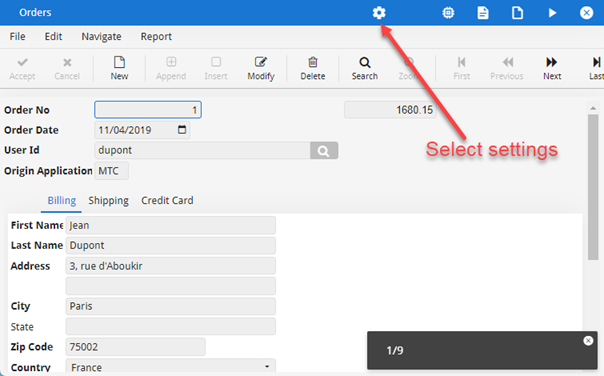
-
Choose the language from the Interface language list.
Figure: Settings icon
The name of the language, "Français", that you see displayed is defined in the locale file by the translation key
gwc.lngName, for example, as in the fr-FR.json:{ "gwc": { "lngName" : "Français", "app": { "ending": { "title": "L'application s'est arrêtée", "session": "ID de session" } } } }