Display the Genero context menu

When the user right-clicks on their Genero application, a context menu displays. By default, the browser context menu displays; you can have a Genero context menu display in its place.
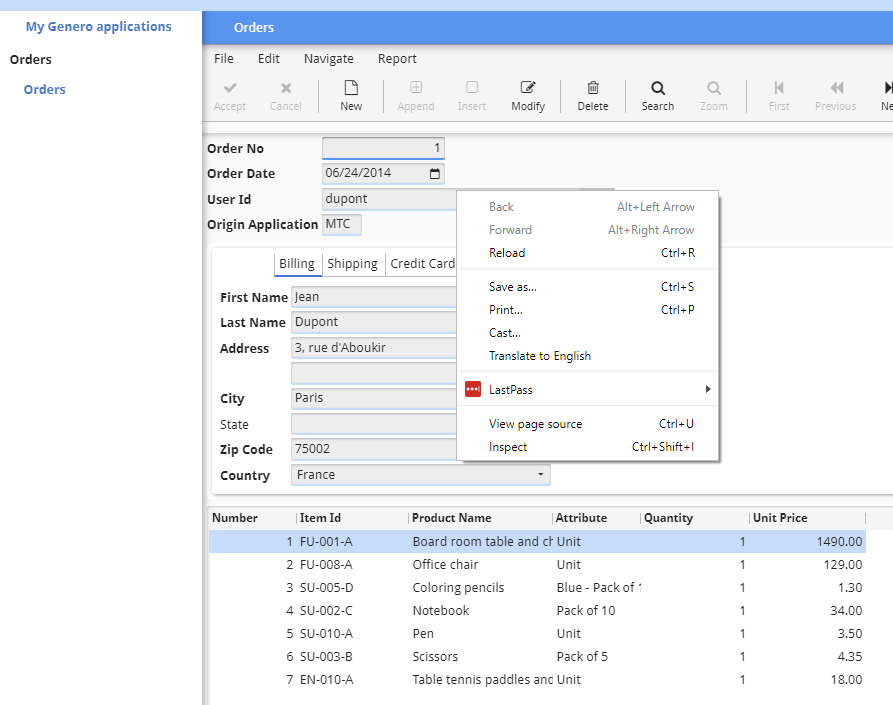
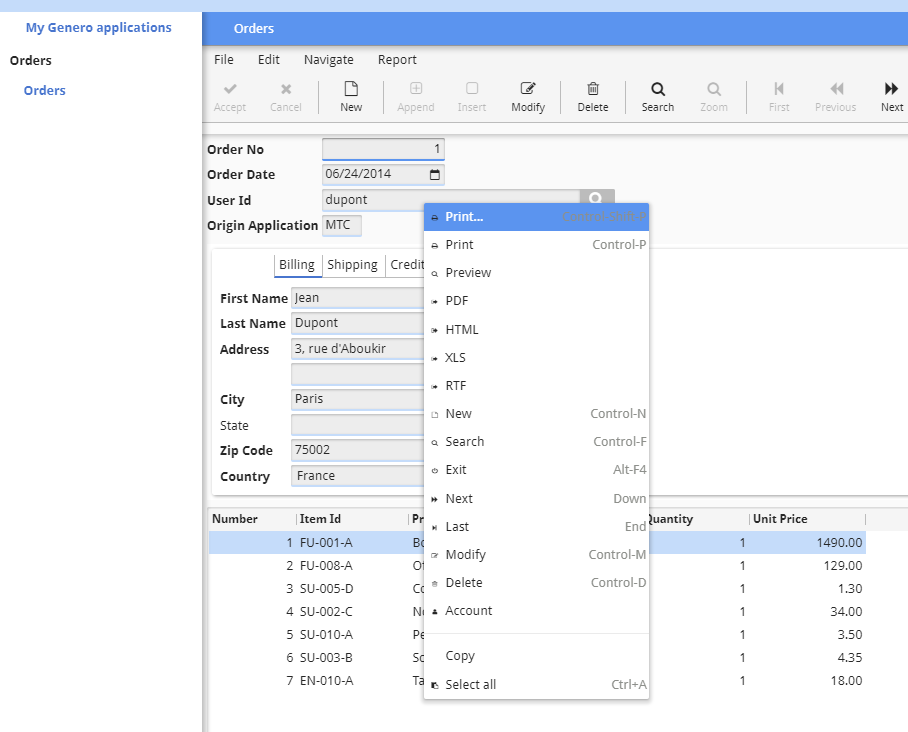
Figure: Application with browser context menu


Figure: Application with Genero context menu


Tip:

The context menu and the table menu are two separate entities. To learn about the table menu and how it operates, go to Display the table menu.

Enable the Genero context menu for all applications

To display the Genero context menu for all applications, create a GBC customization that sets the gbc-disable-context-menu variable to false.
// in theme.scss.json
{
  ...
  "gbc-disable-context-menu": false,
  ...
}

For more information on setting a theme variable, go to Customizing your application using theme variables.

Enable the Genero context menu for a specific application

To display the Genero context menu for a specific application – specifically the current session – add contextmenu=1 as an application URL query string parameter.

For example, to launch the demo application using a customization named "sample" and with the Genero context menu activated, use this URL:

GAS 5.00 and greater
http://localhost:6394/ua/r/demo?gbc=sample&contextmenu=1
GAS prior to 5.00
http://localhost:6394/ua/r/gwc-demo?gbc=sample&contextmenu=1
To learn more about query string parameters, go to Query string parameters.