Log files
When an application runs, the Genero Application Server (GAS) creates per-session and component log files for troubleshooting and audit.
Sensitive and personal data may be written to the output. Make sure that the log output is written to files that can only be read by administrators, and review the management strategy for log files.
- Dispatcher logs
- A log file is generated for each dispatcher. Incoming requests, starting of proxies, responses sent, and system error messages are captured.
- Proxy logs
- A separate log file is generated for each proxy started.
- VM logs
- A log file is generated for each DVM started. DVM standard error and standard output are sent to the dedicated DVM log files.
Accessing log files in appdata
The OUTPUT configuration element specifies where the log messages are sent or
written. By default they are written to the appdata directory, where appdata refers to GAS
application data directory.
You can access log files in the appdata/log/dispatcher_name/date directory.
For example, in a Windows® platform log files are found in the C:\ProgramData\vendor\gas\gas_version\log\dispatcher_name\current_date directory.
Accessing log files from monitor URL
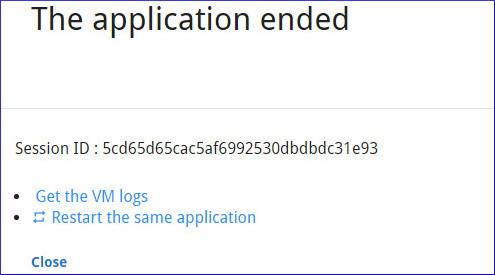
While the dispatcher is running, access the logs from the GAS monitor URL http://appserver:port/monitor. Use the links found in the monitor page to view current dispatcher and proxy logs.
Log filenames
- Dispatcher log
- The name specifies the type of dispatcher. Examples: httpdispatch.log, isapidispatch.log, fastcgidispatch.log
- Proxy log
- The name indicates the type of proxy. Examples: uaproxy-session-id.log, gwsproxy-group-app.log
- DVM logs
-
- Web applications: Format vm-session-id.log
- Web Services: A GWS proxy can spawn multiple DVMs; each DVM gets its own log file
suffixed with a number from 0 to
MAX_AVAILABLE. Format: vm-group-app-number.log. Examples: vm-demo-Calculator-0.log, vm-demo-Calculator-1.logNote:A log file is reused for new DVM logs if the previous DVM has finished, to avoid the accumulation of log files on disk.
Daily log rotation
Log rotation in the GAS occurs at local midnight each day: when GAS runs across
midnight it closes the current day's log files and creates a new date-stamped directory and fresh
log files for the new day.
For instance, if a proxy (uaproxy or gwsproxy) starts before
midnight and continues running past midnight, a new directory will be created to hold the logged
events for that proxy for the day.
Managing the GAS log files
The GAS creates a log for each application session, which can produce many log files. Plan a regular strategy to archive and remove old logs. For UNIX-based platforms, you can use utilities such as logrotate to compress and move log files. For Windows, any program that can compress and archive log files can be used.
If using logrotate on Apache web server logs, it will start and stop the
Apache server. When Apache restarts, it starts a new fastcgidispatch process while
it may not stop the existing process. If you observe this behavior, you can set logrotate's
prerotate script to get the pid of the running fastcgidispatch
process; it should then be possible to stop the old fastcgidispatch process in the
postrotate script.
For more information, see logrotate.
On Unix-like and macOS™ platforms only, you can also redirect GAS logs to the system log by configuring the syslog option in OUTPUT.