License BDL using GUI without internet
Without internet access, you register the license with Four Js from another machine via the internet, or by phone. Then use the user interface to license your Genero Business Development Language (BDL) product.
-
Launch the Genero licensing graphical interface:
- It may launch automatically when you finish installing your product.
- From Genero Studio, select .
- From the Window Start menu, select the Genero BDL Licenser tool from your Four Js program list.
The licensing page opens in a Web browser.Figure: Genero BDL Licenser Page 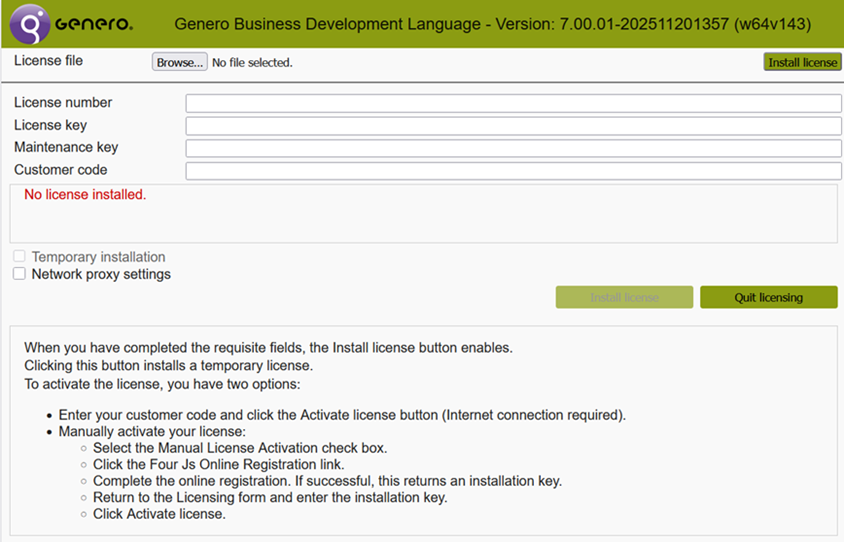
Register the license
-
In the Licensing form, enter your installation key, and click Activate
License.
Figure: Example activating the license manually (no internet) 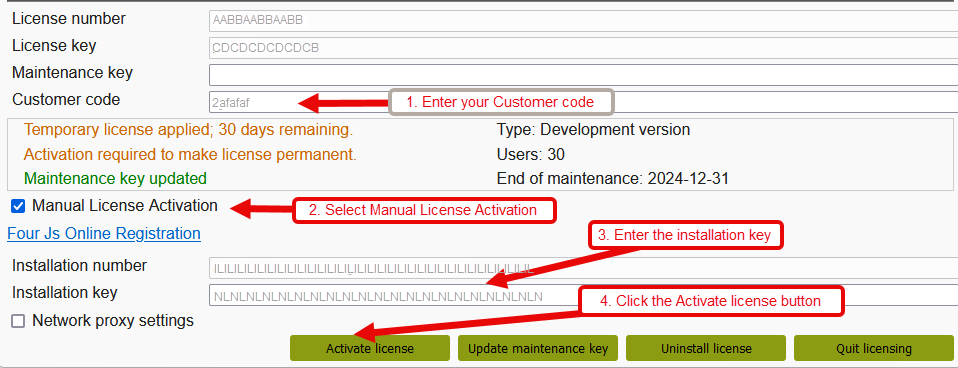
Your license has been installed and activated.