Controlling folder rendering
Folder rendering can be controlled by the use of presentation styles and folder attributes.
Default rendering
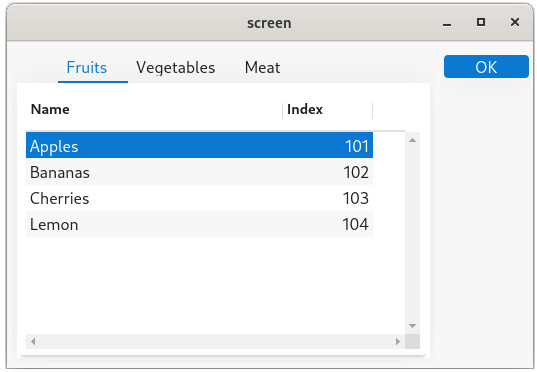
By default, a FOLDER container displays with folder tabs on top:
Folder tab positions
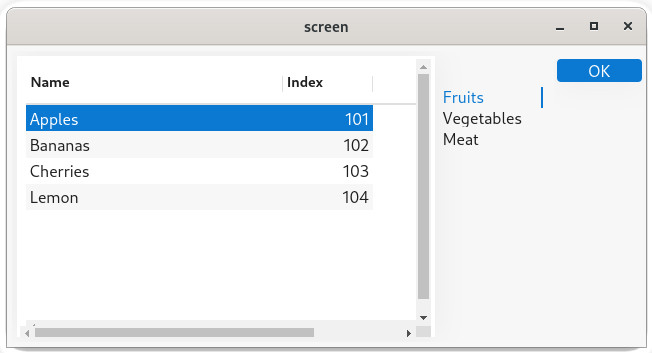
The position of the folder tabs can be define with the
position style attribute: <Style name="Folder">
<StyleAttribute name="position" value="right" />
</Style>With the above style definition, folders will display as in the following screenshot:
Collapsible folder tabs
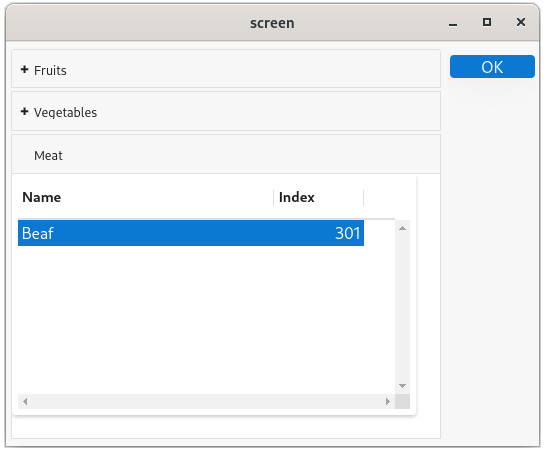
To display folder tabs as collapsible elements, use the
"accordion" value in the
position style attribute: <Style name="Folder">
<StyleAttribute name="position" value="accordion" />
</Style>The folder will then render as shown in the next screenshot, with collapsible pages: